OpenZhenZhen AI 提示词画廊 · Claude Opus 5.5 · video
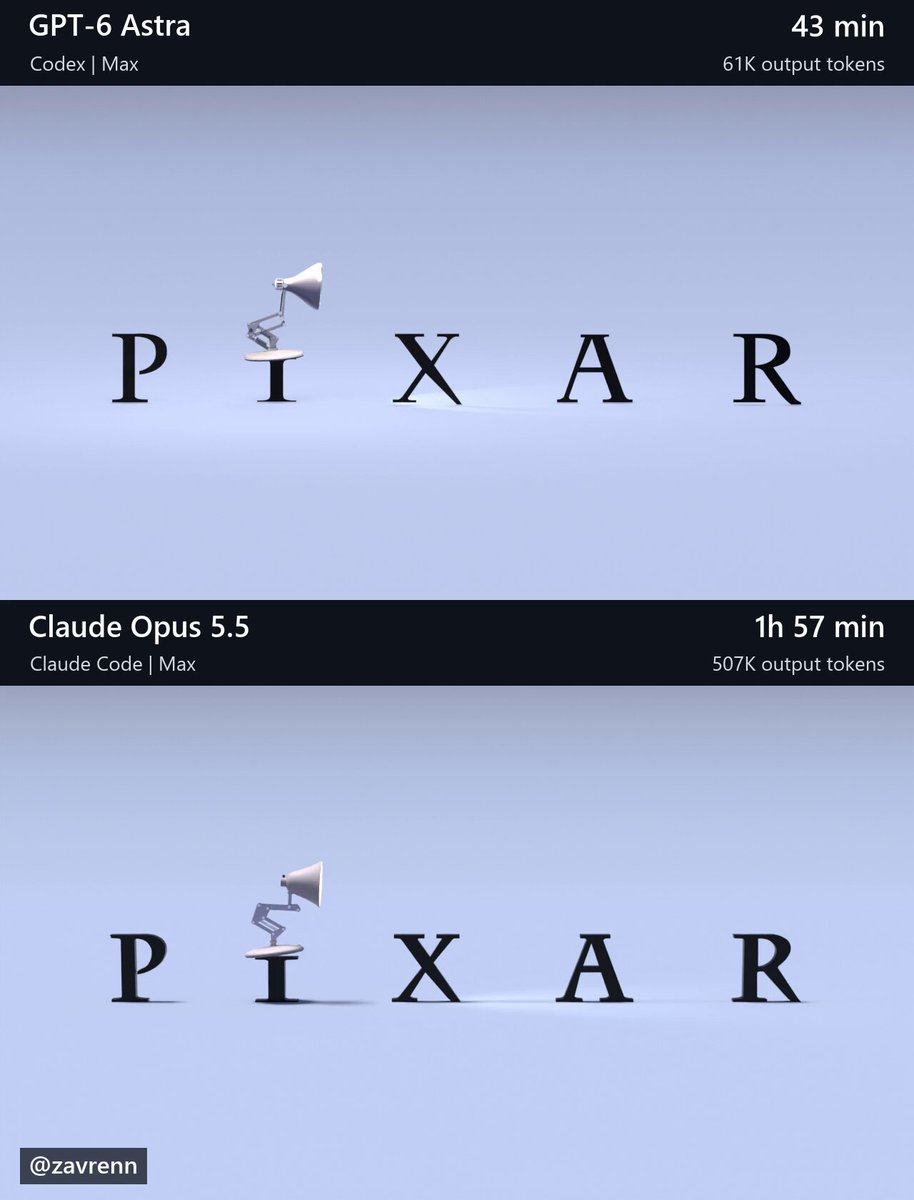
Blender关节台灯动画
Blender Articulated Desk Lamp Animation
创作者用同一份详细提示词和参考图,让GPT-6 Astra和Claude Opus 5.5分别在Blender中还原一段台灯动画,Opus耗时更长、消耗的token也远多于Astra。 原作需要参考素材;请自行准备图片、视频、音频、文档或代码库等输入。
提示词 / Prompt
English prompt
Create a finished, editable Blender recreation of the six-second animation shown in this workspace’s reference/t\_\*.png images. Open and inspect the reference images before building. Their filenames give seconds from the start of the animation: t\_1.20s.png means 1.20 seconds. Use these images as the visual reference and leave them unchanged. Match the complete composition: the lamp’s proportions and articulated structure, lettering, interactions, camera framing, materials, lighting, shadows, and final fade. Pay particular attention to jump timing, preparation, landings, settling, and head turns. Preserve the reference’s stylized motion and create coherent movement between the sampled poses. Make reasonable choices for unseen details. Build genuine 3D geometry and animation that remain editable. Keep joints connected and contact believable. Do not substitute reference images or footage for geometry, textures, backgrounds, or rendered output. Create the assets yourself using installed tools; do not download assets, browse the web, or use other AI agents or models. Blender is installed at: C:\Program Files\Blender Foundation\Blender 5.2\blender.exe Prepare the final scene at 1280×720, 30 fps, frames 1–180, with frame 1 representing time zero. Use Cycles, 64 samples, and denoising. Preserve the reference lettering; add no extra titles, watermarks, interface, comparison layout, or audio. Render and visually inspect low-resolution previews across the action, including between reference timestamps. Correct visible problems and recheck affected frames. We will render the final video separately. Save scene.blend with the final render settings and a build\_scene.py that rebuilds it from scratch. The saved scene must render without external asset dependencies. Verify that it opens and renders in background mode. Work autonomously through completion, making routine decisions yourself. Finish with a brief report of the saved files, checks actually performed, and remaining limitations.
主题与风格
探索更多图片和视频提示词 · 生成图片 · 生成视频 · 在 AI 画布中创作
相关作品
- 黏土宇航员左提箱右拾扳手再归位
10秒连续动作示例:黏土宇航员左提箱右拾扳手再归位。
- 刀鞘分别放地再拾起对准入鞘
10秒连续动作示例:刀鞘分别放地再拾起对准入鞘。
- 武士刀横竖转向换手后平放地板
10秒连续动作示例:武士刀横竖转向换手后平放地板。
- 女厨师盖锅平移再取下玻璃盖
10秒连续动作示例:女厨师盖锅平移再取下玻璃盖。
- 武士刀放地后握红柄重新入鞘
10秒连续动作示例:武士刀放地后握红柄重新入鞘。
- 蓝杯绕过木隔板再移入空托盘
10秒连续动作示例:蓝杯绕过木隔板再移入空托盘。